AI Subtitle Generator

Automatically generate subtitles to make your video accessible to all audiences. Instantly transcribe and translate your videos or audio into precise subtitles. Support 99+ languages.

Upload Icon

Transcribe a local file

Upload a video or audio file from your local device to transcribe

link Icon

Transcribe an online file

Copy an online media file URL from the following website to transcribe

youtube
facebook
googledrive
tiktok
dropbox
x
vimeo
loom
instagram
  • Video and Audio Files to TextVideo and Audio Files to Text
  • Live TranscriptionLive Transcription
  • Speaker Identification & TimestampSpeaker Identification & Timestamp
  • AI-Generated SummariesAI-Generated Summaries
  • 99+ languages Transcription & Translation99+ languages Transcription & Translation
  • 99+ Accuracy99+ Accuracy
  • Flexible ExportFlexible Export

7-day free trial, cancel anytime
We're trusted by some of the best
trademark_1
trademark_2
trademark_3
trademark_4
trademark_5
trademark_6
trademark_7

Generate Subtitles for Any Video or Audio

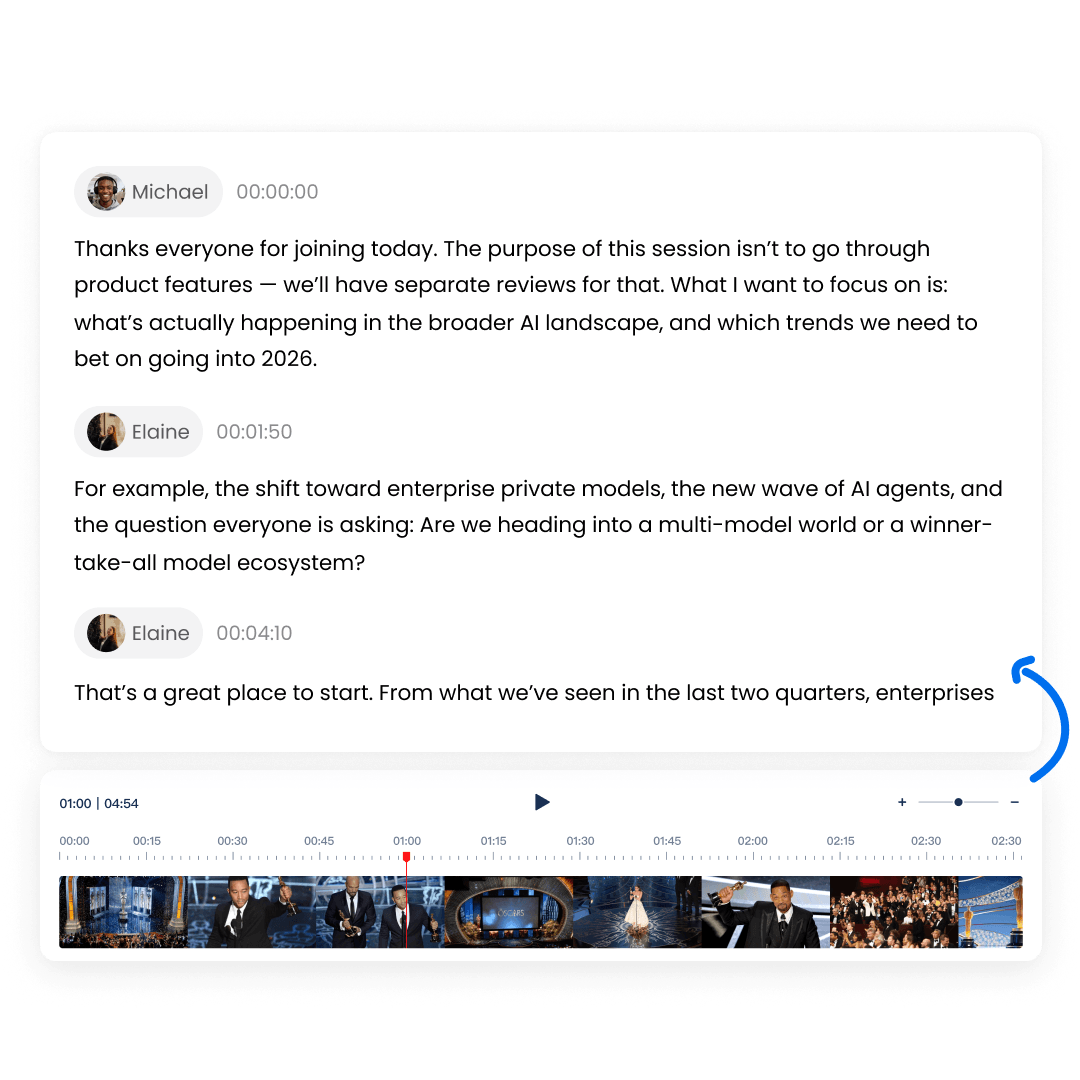
Watching videos or audio without subtitles or captions is difficult in many situations, noisy places, muted playback or poor audio quality. AI subtitle generation ensures content is always clear, understandable and accessible, no matter where or how you watch.

7-day free trial, cancel anytime
Feature - Generate Subtitles for Any Video or Audio

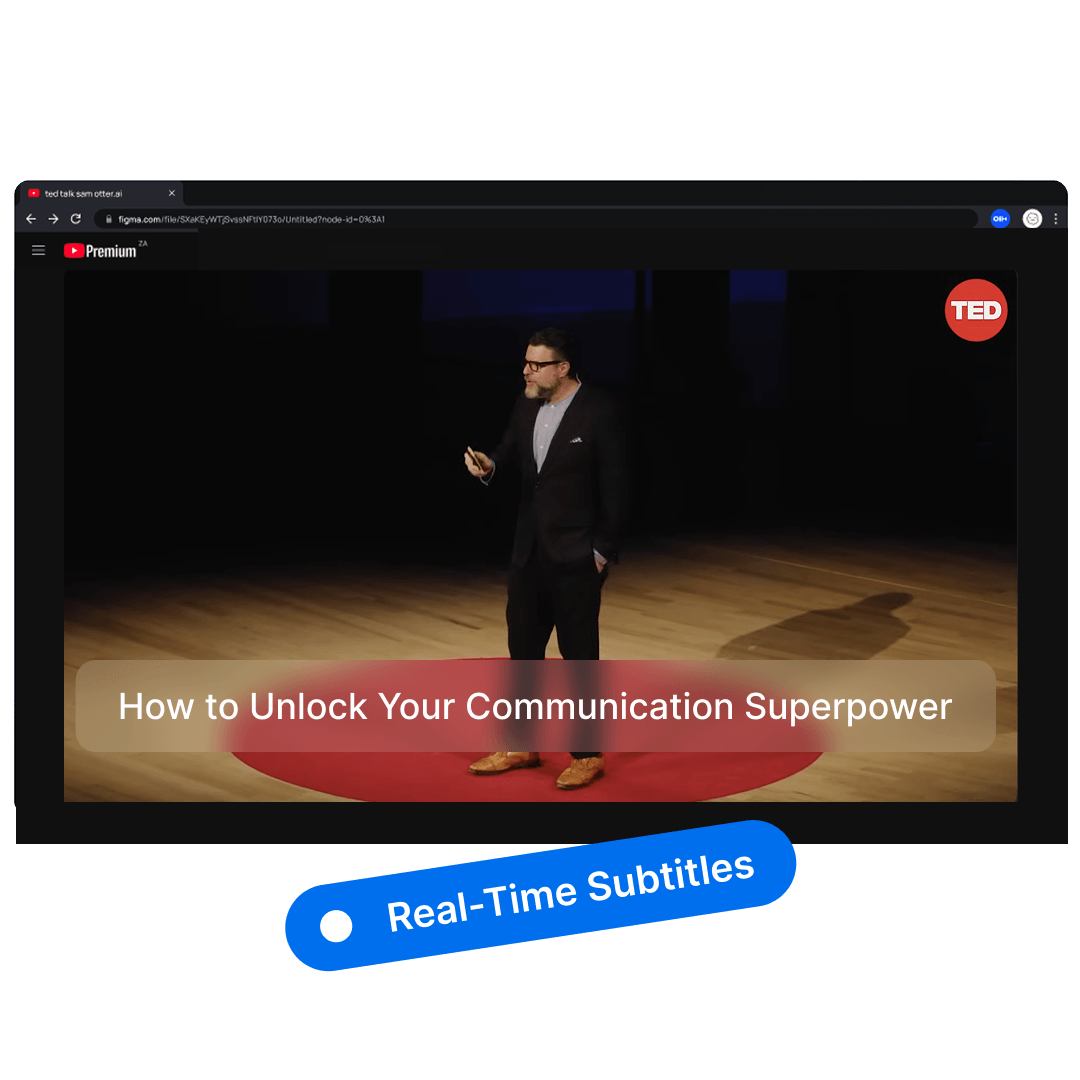
Auto-Generate Subtitles - Real-Time Subtitles

In live video and audio scenarios, replay is not always possible. Real-time subtitles help you understand content immediately, even in noisy environments or when audio quality is poor.

7-day free trial, cancel anytime
Feature - Auto-Generate Subtitles - Real-Time Subtitles

Export Subtitles in Multiple Formats

Different platforms require different caption formats. SRT, VTT and TXT exports ensure your captions are ready to use without extra conversion or reformatting. Clipto.AI makes subtitle generation effortless, accurate and fully automated - with every line perfectly time-synced to your audio or video.

7-day free trial, cancel anytime
Feature - Export Subtitles in Multiple Formats

Translate and Reach a Global Audience

Break language barriers effortlessly and reach audiences worldwide. Many videos and audio recordings are only available in one language. Clipto.AI automatically translates subtitles into multiple languages while preserving timing and context.

7-day free trial, cancel anytime
Feature - Translate and Reach a Global Audience

Summarize and Highlight Key Moments

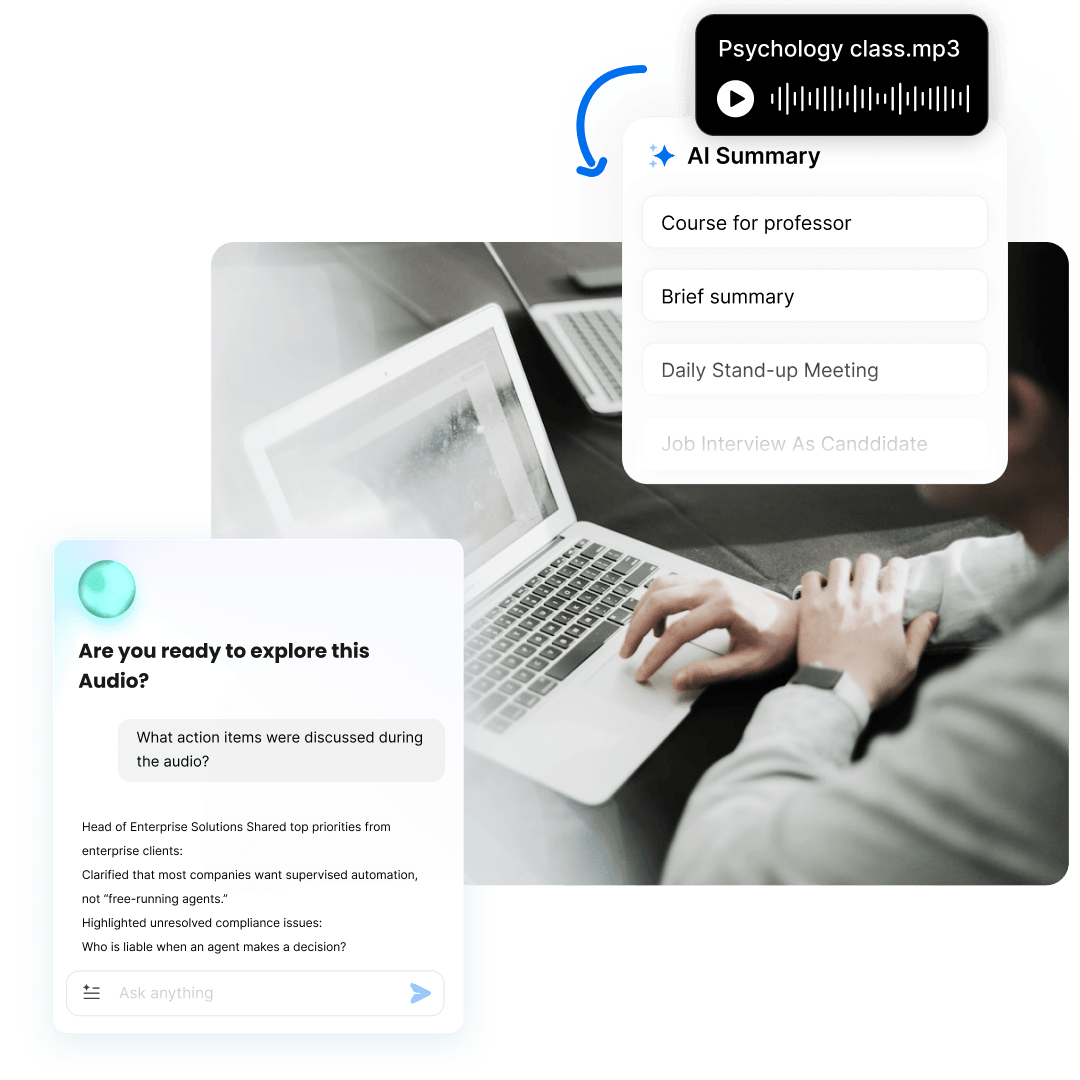
After generating subtitles from video or audio, AI summaries and AI chat help you quickly grasp main ideas and find specific information without rewatching or rereading everything.

7-day free trial, cancel anytime
Feature - Summarize and Highlight Key Moments

See Why Users Love Us

avataravataravataravatar
flag-star
flag-star
flag-star
flag-star
flag-star

Excellent 4.5/5 base on 221 reviews trustpilot

Love the ease of use and accuracy of Clipto.
I love the ease of use and accuracy of Clipto. I find it much easier to dictate when I'm working on writing projects to help my ideas flow. I used to use speech to text in my notes, but the lag slowed down my thought process. This way, I can just speak, have clipto transcribe, and use other AI services to clean up my transcript. I love it!
flag-star
flag-star
flag-star
flag-star
flag-star
Caleigh WeichbrodtOctober 24, 2024
Best Application Ever!
As a user of Clipto's transcription service, I find it incredibly efficient for converting both audio and video files into text. It’s super easy to use—just drag and drop files or paste URLs, and the AI handles the rest. The transcription quality is impressive, even for long recordings. The ability to transcribe in multiple languages is a bonus, especially for international projects. It has definitely streamlined my workflow and saved me a lot of time when working with recordings.
flag-star
flag-star
flag-star
flag-star
flag-star
Allison SmithOctober 20, 2024
Great for work, personal, and/or school use!
I do a lot of auditing and summarizing for work, and this is the perfect way to quickly have paragraphs of text prepared. The transcription is great and most of the editing I have to do is related to my own misspoken words. I wish I would have known about this when I was getting my bachelors, it would have been so helpful for written assignments and essays. I have used more features than I originally thought I would have. Overall, worth the money and I would highly suggest Clipto to anyone considering it.
flag-star
flag-star
flag-star
flag-star
flag-star
DebbyOctober 17, 2024
Great for me (swedish journalist)
I am a journalist from Sweden and clipto have saved me hours and hourse of transcribing interviews. Sure, there is still room left for improvement of getting the words right sometimes, but it´s still miles better at it than other services I have used. It could be a little cheaper for recurrent subscribers, but hey...everything comes at a cost.
flag-star
flag-star
flag-star
flag-star
flag-star
Con NilsOctober 17, 2024

Choose the plan that fits your needs

YearlyMost Popular
$8.99
$24.99 / month
7-day free trial, then $107.88 a year
Check IconUnlimited use
Check IconSupporting up to 6-hour files
Check Icon99% transcription accuracy
Check Icon99+ languages supported
Check IconSpeaker Identification
Check IconGet results in minutes
Monthly
$9.99
$24.99 / first month
7-day free trial, then $9.99 for the first month,and $24.99/month afterwards
Check IconUnlimited use
Check IconSupporting up to 6-hour files
Check Icon99% transcription accuracy
Check Icon99+ languages supported
Check IconSpeaker Identification
Check IconGet results in minutes
By clicking "Start Free Trial", you agree to Clipto.AI’s Terms of Service and Privacy Policy.

Frequently Asked Questions

What Are Subtitles or Captions?

How Can I Create Subtitles for My Videos?

How Can I Add Subtitles to My Video?

Can I Edit Subtitles After They're Generated?

Why Should I Use Subtitles on My Videos?

How Can I Translate Captions into Another Language?

What Is a Subtitle Generator Extension?

How Can I Add Subtitles to YouTube Video?