

Introducing Clipto MCP

Let agents source clips from terabytes of your local video

For all your videosimagesmeetingsconversationsdocumentsideas

Connect Clipto MCP

How your AI searches your local footage

Your AI tool asks Clipto for context. Clipto searches your approved local media and returns source-backed results

Your local media
Videos
Footage, clips
Audio
Interviews, podcasts
Photos
Screenshots, images
Media memory networkPeopleScenesObjectsActionsDialogue
Clipto MCP
CliptoMCP
Your AI
ChatGPT logoChatGPT
Claude logoClaude
Cursor logoCursor
Other agents
Endless outcomes
Match B-roll to a script
Find matching clips with timestamps
Turn text into video
Sequence local clips into a first cut
Edit a podcast for release
Flag false starts, pauses, and repeats
Build a rough-cut brief
Shape footage into a clear story
Create a highlight reel
Assemble the strongest moments
Build a footage log
Organize sources, timecodes, and notes

Prompts for real work

Start with a proven prompt, fill in the blanks, and run it with your AI

Match B-roll to my script

You will get a complete video with matched B-roll

Create a complete video using this A-roll or voiceover in my Clipto library: {name the recording}. Match B-roll to this script: {paste your script}, following {describe the look you want}. Use the strongest clip for each beat, keep it in sync, and stay on the main track when no good match exists. Export the finished video with source timestamps and Clipto links.
Edit a podcast for release

You will get a polished audio or video episode

Edit this full podcast recording in my Clipto library: {name the recording}. Shape it around {main topic or goal} and deliver it as {audio or video}. Remove filler, false starts, repetition, long pauses, interruptions, and off-topic sections while preserving meaning and natural pacing. Clean the audio, smooth video cuts when needed, export the complete episode, and flag uncertain edits.

Turn a script into a video

You will get a complete video matched to your script

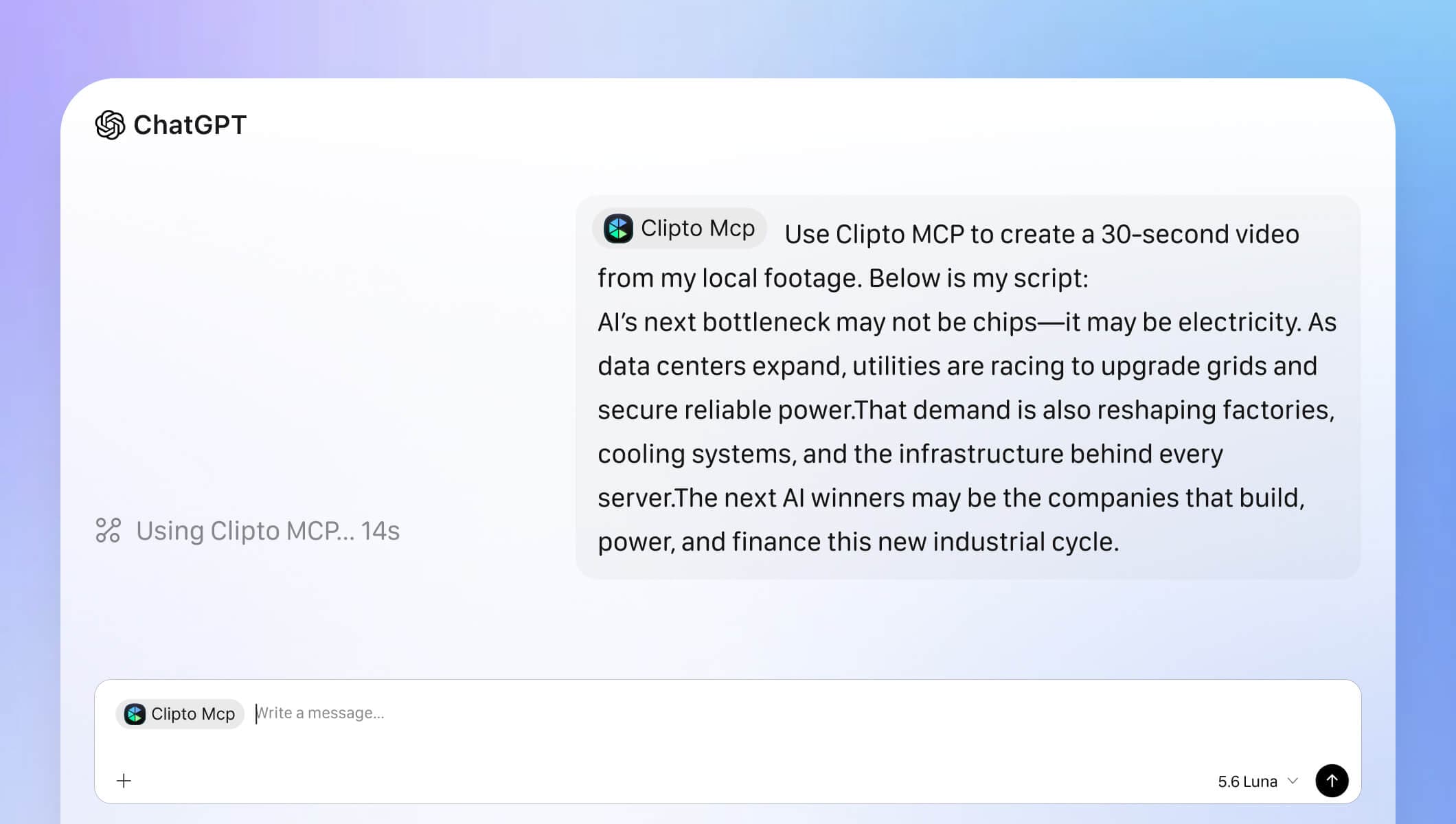
Use Clipto MCP to find matching footage and assemble it into a video. Here’s my script: {paste or replace with your own script}.

Build a footage log

You will get an Excel log of every usable moment

Create a footage log for all media currently indexed and analyzed in my Clipto library. Use Clipto only—do not search or scan local folders. Export an .xlsx with one row per useful segment, including source path, duration, in/out timecodes, description, spoken topic or quote, quality or privacy issues, recommended use, and Clipto link. Mark media with no usable footage or access issues reported by Clipto.

Get started with your favorite AI tools

MCP is now built into the Clipto desktop app for Mac and Windows. Install the full desktop app to get started.

ChatGPT step 1 preview
Step 1

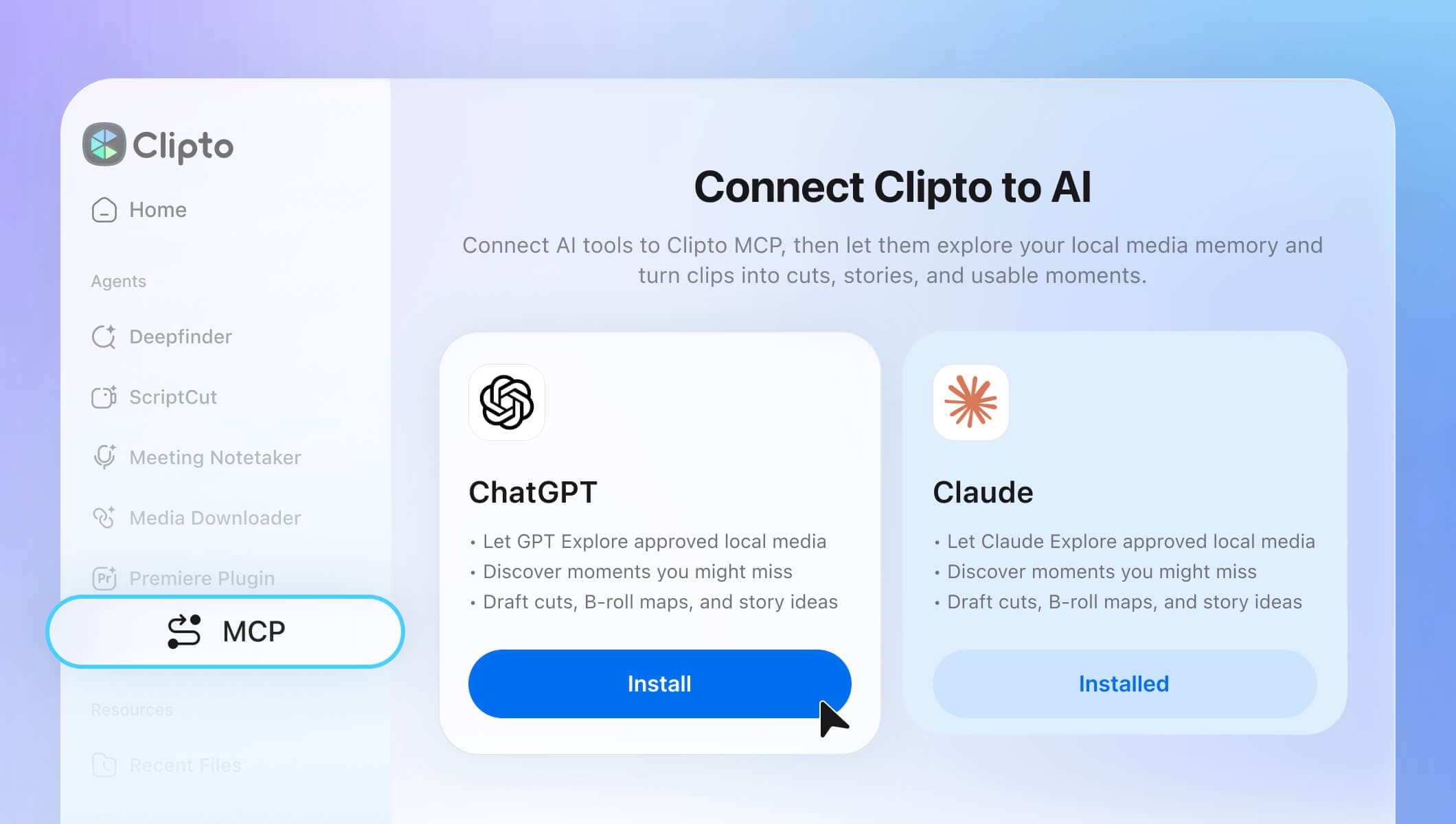
Download the latest Clipto App. The MCP tool is built into Clipto.

ChatGPT step 2 preview
Step 2

Click the MCP tab on the left to connect Clipto to any MCP-compatible agent. Currently, ChatGPT supports one-click installation.

ChatGPT step 3 preview
Step 3

Once installed, you can start using it by invoking MCP within the Agent or simply describing your requirements in natural language.

Starter footage for testing Clipto MCP

Don’t have footage to start with? Download a varied collection of sample footage and use it to explore search, matching, and media workflows with Clipto MCP.

For demo purpose only. Not for commercial use.

More
Mountain peaks starter footage

Mountain peaks

00:18

Sunflowers in bloom starter footage

Sunflowers in bloom

00:42

Incense smoke starter footage

Incense smoke

01:06

Your media stays under your control

Clipto is designed for local media workflows. AI tools can ask Clipto for moments and context, but they do not get open-ended access to your Mac

Local-first by default

Clipto indexes and searches your media locally. Your source files are not uploaded by default.

Approved folders only

Choose the folders Clipto can search. AI tools only receive the structured results Clipto returns.

Disconnect anytime

Remove access for Codex, Claude, ChatGPT, or any connected client from Clipto's Connected AI Tools page.

Every result is verifiable

Each moment includes a timestamp, evidence, and an Open in Clipto link back to the original media.

Frequently Asked Questions

Everything you need to know about using MCP with the Clipto Mac app

QDo I need the Clipto Mac app?

Yes. Clipto MCP uses the Clipto Mac app as the local media memory engine. Install Clipto first, then connect your AI tool.

QCan AI tools see all my files?

No. AI tools can only request results from Clipto based on the folders you approve. They do not get open-ended access to your Mac.

QDoes Clipto upload my original videos?

No by default. Clipto is designed around local-first media understanding, so your source media stays on your device unless you explicitly choose another workflow.

QWill Clipto automatically edit my videos?

No. Clipto finds, explains, and verifies the right moments. Your AI tool can organize them into a plan, and you or your editing tool decide what becomes the final cut.

QWhat should I prepare before getting started?

Clipto needs time to index and understand your local files before your AI tool can search them well. This may take a little while depending on the size of your library. Everything runs locally, and once indexing is complete, you are ready to start asking for moments, context, quotes, screenshots, and source-backed answers.

QWhat if my media is still indexing?

Clipto can return what is ready and show what is still processing. Your AI tool should label partial results clearly instead of pretending the whole library is complete.

QWhat should I ask Clipto to do first?

Try: "Find B-roll for this script," "Pull every customer quote about pricing," or "Build a Product Hunt launch film paper cut with timestamps and Open in Clipto links."

Connect Clipto MCP