

Clipto vs. TurboScribe: Pricing Comparison
If you’re choosing a transcription tool, the decision often comes down to TurboScribe and Clipto - two popular platforms for fast, accurate audio-to-text conversion. TurboScribe stands out for its speed and simplicity, while Clipto offers a broader feature set at a similar price.This guide compares their features, performance, and value to help you decide which fits your workflow best - whether you prioritise speed, editing, multilingual support, or AI-powered insights.Clipto is ideal if you need an all-in-one AI transcription and media tool, combining transcription, video download, summarization, clip management, and AI search - perfect for creators, marketers, and researchers managing large media libraries.TurboScribe suits those needing fast, unlimited transcription without extra features - great for long recordings or high-volume projects focused on speed and simplicity.
Feature / Plan Aspect | Clipto | TurboScribe |
|---|---|---|
| Pricing Model | 7-day free trial with unlimited transcription and access to core Clipto features, then paid Premium plan. | Fixed subscription or free plan, no pay-as-you-go. |
| Free Use | 2 transcripts (≤30 min) or 7-day unlimited trial (signup required). | 3 transcripts/day, ≤30 min each. |
| Features | Unlimited transcription + 4K downloader, summarizer, media manager, AI search. | Unlimited transcriptions with multiple modes. |
| Annual Plan | $8.99/month | $10/month |
| Monthly Plan | Starts at $9.99 for the first month, thenfor unlimited use. | $20/month |
| Best For | Users needing full content workflow - transcription, downloads, AI tools. | Users wanting fast, unlimited transcription at a flat rate. |
Which Tool Fits Your Workflow Best?
Choosing between Clipto and TurboScribe depends on how their features match your workflow, not just price.
Clipto is an all-in-one AI content management platform, offering:
- Download online videos in up to 8K resolution

- Convert video or audio to text with high-accuracy AI transcription
- Summarize videos for quick overviews and research notes
- Organize and repurpose clips for social media, ads, or presentations
- Search your content library with AI to instantly locate key moments or topics
Best for:
- Podcasters, digital marketers, and video creators managing large media libraries
- Marketers turning long-form videos into high-impact short clips
- Researchers and journalists who need fast transcription, summarization, and content retrieval
Budget advantage:
Start with a 7-day free trial to explore all features. Then choose a flexible monthly plan or a discounted annual subscription to match your workload. TurboScribe offers a flat-rate unlimited plan - no per-minute fees, up to 10-hour files and 50 uploads at once, ideal for high-volume transcription.
Best suited for
- Users who want a simple, reliable transcription tool
- Professionals who regularly process long recordings
Budget advantage
The free plan works well for occasional use, while the unlimited plan provides predictable monthly or annual costs for heavy users.
Clipto vs. TurboScribe: Feature Breakdown
Clipto goes beyond transcription with built-in AI summarization, speaker detection, and video downloading in all plans.
Transkriptor covers core transcription and meeting tools but limits some advanced features to higher tiers. For an all-in-one content assistant, Clipto offers broader capabilities.
Feature Category | Clipto | TurboScribe |
|---|---|---|
| Core Purpose | AI-powered content platform for transcription, video downloads, clip organization, and AI search. | AI transcription of audio/video focused on speed and accuracy. |
| Flagship Feature | Accurate AI transcription, speaker ID, summarization, 4K video downloader, AI search. | Fast transcription with speaker detection and punctuation. |
| Use Cases | Managing and repurposing multimedia content in one workflow. | Creating transcripts from audio/video. |
| Video Quality Downloads | Standard resolution, 1080p, 4K, and 8K | Standard quality only |
| Editing & Export | Export TXT, DOCX, PDF, SRT; compatible with Final Cut & Premiere. | In-browser editing; export TXT, DOCX, PDF, SRT. |
| Language Support | Language-agnostic platform that stores any text you input. | Likely supports multiple languages and accents for global users. |
| Extra AI Features | AI-powered search for instantly locating key content, and AI-generated summaries. | AI transcription and summaries |
| Platform Availability | Desktop apps (Mac/Windows) + web sync | Web-based only |
| Strengths | Fast and minimalistic interface, reliable syncing, and powerful for organizing and retrieving content. | Fast transcription, straightforward to use. |
| Limitations | Free plan limited; 7-day full-access trial. | Focused on transcription only. |
| Potential Workflow Together | Use TurboScribe for transcription, then import into Clipto to edit, organize, and repurpose content for Adobe Premiere or Final Cut. | / |
Clipto: Features Overview
Clipto is designed for users who need speed, flexibility, and intelligent AI tools for managing audio and video content. Its key features include:
Unlimited AI Transcription
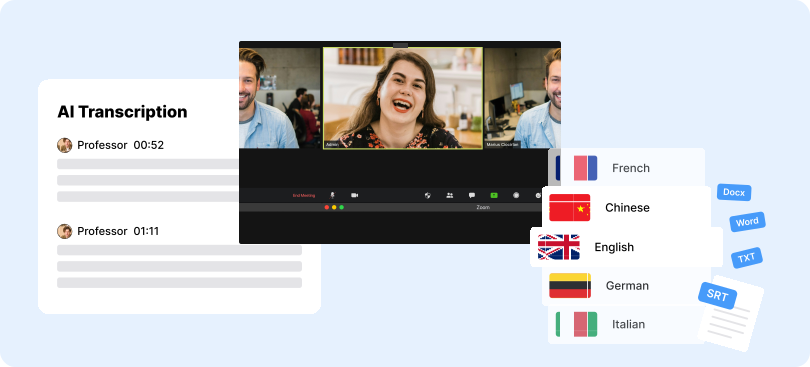
Clipto delivers 99%+ accurate AI transcription in 99+ languages, supporting MP3, MP4, and WAV. Upload files or paste YouTube, Instagram, or TikTok links for instant transcription. Unlike tools with time or usage limits.
Speaker Identification
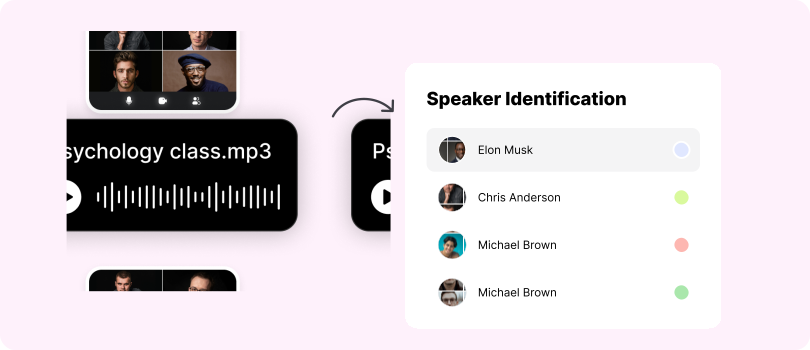
Clipto’s speaker detection clearly separates who’s speaking in interviews, meetings, and podcasts. You can also create a custom voice library for frequent speakers, improving labeling accuracy and reducing editing time.
AI Summarization
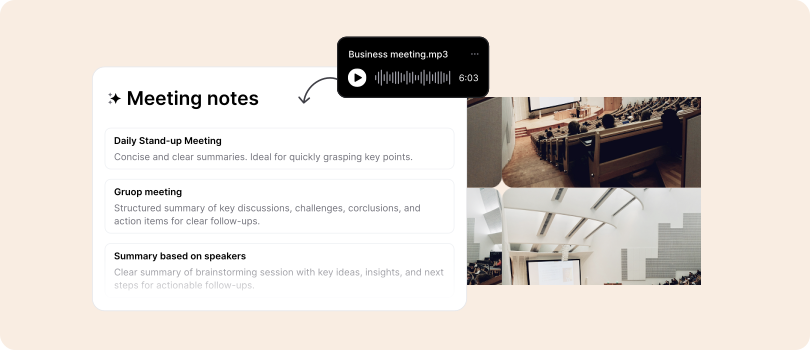
Clipto’s integrated AI summarization tool creates concise overviews of long conversations, lectures, or meetings, no third-party apps needed.
Built-In Video Downloader (YouTube, Instagram, TikTok, and More)
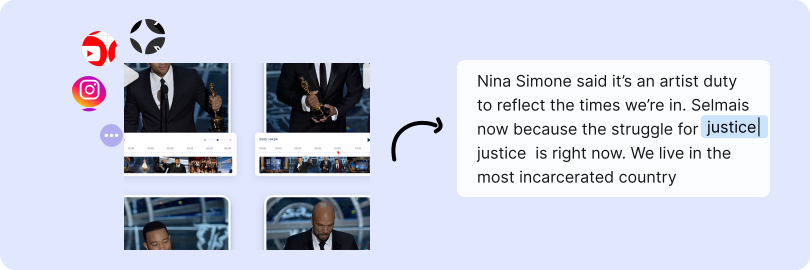
Clipto goes beyond transcription with a built-in downloader - just paste a link to fetch, transcribe, and summarize videos in one place. Paid plans support 1080p, 4K, and 8K downloads.
Editing and Export
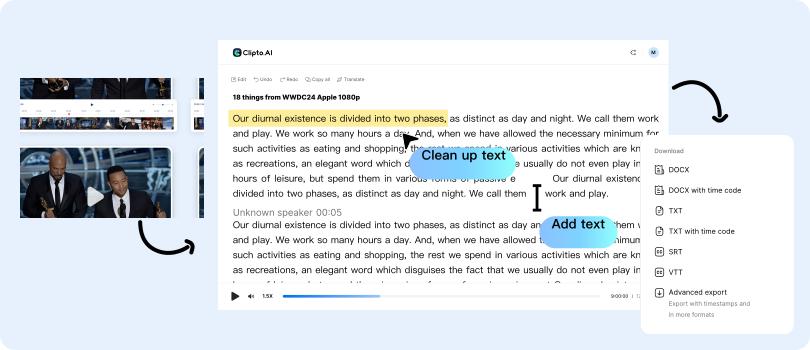
Clipto lets you fully edit transcripts - adjust speakers, refine text, and sync timestamps before export. Export in TXT, SRT, or DOCX, with seamless integration for Premiere Pro and Final Cut.
TurboScribe: Features Overview
Automated Transcription
TurboScribe delivers fast, accurate AI transcription for audio and video files, automatically adding punctuation and identifying speakers for clear, ready-to-use text.
Editing and Export Tools
A built-in web editor lets users review and correct transcripts while listening to audio. Export options include TXT, DOCX, PDF, and SRT, ensuring easy use across platforms.
Language and Accent Support
Supports multiple languages and English accents, making it suitable for global users such as creators, students, and professionals.
AI Summaries and Insights
Offers AI summaries, keyword highlights, and action items, helping users quickly capture key points from long recordings.
Clipto vs TurboScribe: Which Tool Is Right for You?
Choose Clipto if:
You need more than basic AI transcription. Clipto offers high accuracy, multilingual support (99+ languages), and workflow flexibility for complex projects.
Key advantages include:
- AI summaries for quick insights
- Speaker identification for clear multi-speaker transcripts
- Flexible imports from files or online videos (YouTube, Instagram, TikTok)
- Full editing tools and export formats for repurposing transcripts
- Core built-in features: Video downloader, AI search and more
Choose TurboScribe if:
You need a fast, simple transcription tool without media management. It provides accurate, punctuated transcripts with speaker labels, ideal for:
- Meeting notes and interview transcripts
- Caption creation for videos
- Basic content documentation tasks