In today’s digital age, video content is everywhere, but finding key information or repurposing it efficiently can be challenging. Using AI transcription tools to transcribe video to text enables creators and teams to convert speech into written content quickly. Most modern tools deliver 90%-98% accuracy and can process an hour-long video in under 10 minutes. This not only saves time but also improves accessibility for hearing-impaired participants and non-native speakers.
Whether you are looking for a YouTube video to text converter online free or a tool to transcribe video to text with a link, AI transcription solutions simplify workflow and collaboration. These tools allow easy editing, timestamping, and exporting to multiple formats like TXT, DOCX or SRT. With such efficiency, teams can reuse content for blogs, research or subtitles without manual effort.
Part1: Benefits of Transcribing Video to Text
Improve Accessibility and Team Collaboration
Converting video content into text is a way to make sure that everyone in your team can have access to information without any problems. It supports the hearing impaired, non-native speakers or remote team members. With transcribing video to text AI tools, meetings, webinars and tutorials can be shared instantly with an accurate textual representation.
High Speed Content Search and Retrieval
Once a video has been transcribed, you can search for key points through the text rather than having to watch the entire video. This is especially helpful when dealing with lengthy recordings or several video lectures. Efficient indexing and search capabilities help to save time and enable faster decision-making.
Multilingual Support of Global Teams
Many AI transcription tools have multi-language support. This means that you can transcribe video to text YouTube content or other international video sources in different languages, and working across regions becomes a breeze. Teams are able to grasp significant insights without language barriers.
Create Summaries, Action Items and Notes
Modern AI tools can not only transcribe what people are saying but also create concise summaries, identify actions to be taken, and offer structured notes. This way, teams can get a good idea of significant points and follow up on the tasks without looking at the entire content of the video manually.
Part2: Step-by-Step Guide to Transcribe Video to Text
Transcribing video to text has become much faster thanks to AI transcription tools. Instead of manually typing every word, modern platforms can convert spoken content into searchable text within minutes.
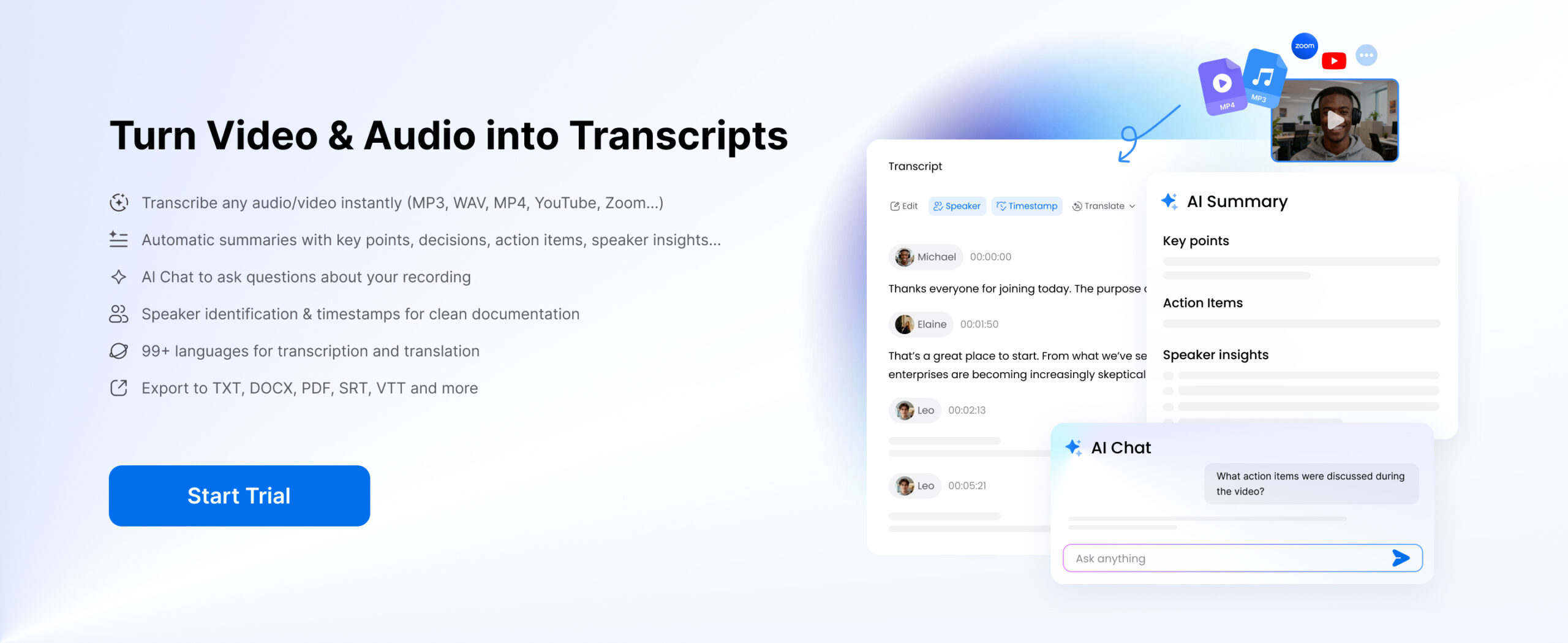
Beyond basic transcription, many tools also provide advanced features such as timestamps, speaker identification, translation, AI summaries, and AI chat, making it easier to analyze and reuse video content. To understand how the process works, let’s look at a simple workflow using Clipto.AI as an example.
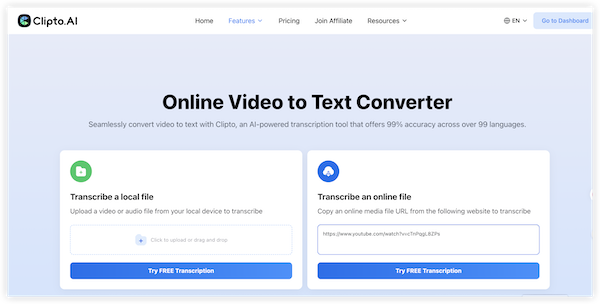
Step 1: Upload the Video
Start by uploading your video file to the transcription platform. Most tools support common formats such as MP4, MOV or AVI. Some platforms also allow users to paste a video link or upload audio files.
Once the file is uploaded, the system prepares it for automatic speech recognition.
Step 2: Generate the Transcript with Timestamps and Speaker Identification
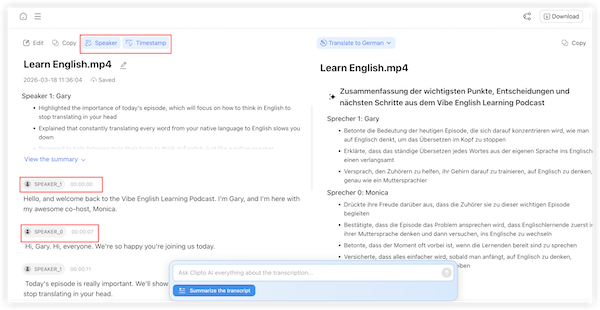
After processing begins, the AI engine converts spoken language into written text. The transcription usually takes only a few minutes depending on the video length.
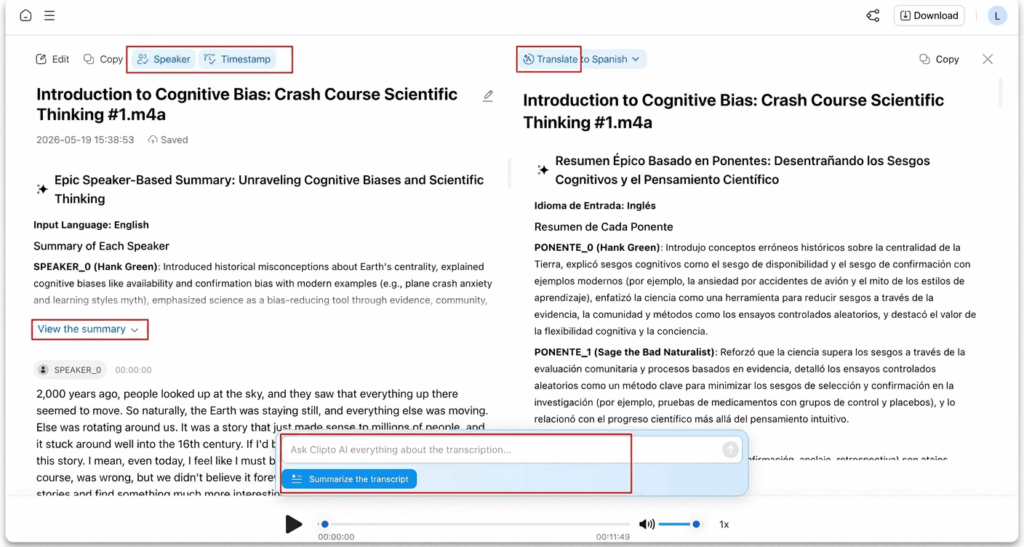
Once the transcript is generated, the platform organizes the text with timestamps, allowing you to jump directly to specific moments in the video. AI can also perform speaker identification, automatically labeling different speakers in conversations.
Step 3: Translate the Transcript (Optional)
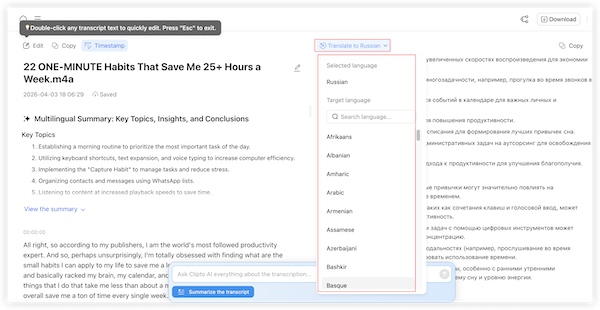
If you need multilingual content, the transcript can be translated into other languages, making videos accessible to a wider audience.
Step 4: Use AI Summary and AI Chat (Optional)
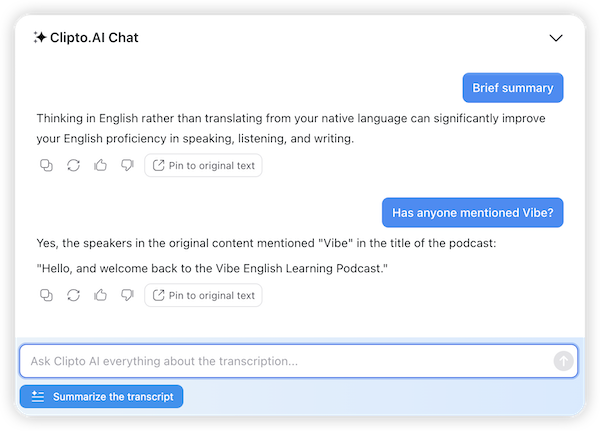
Many transcription platforms provide AI summaries that highlight key points from long transcripts.
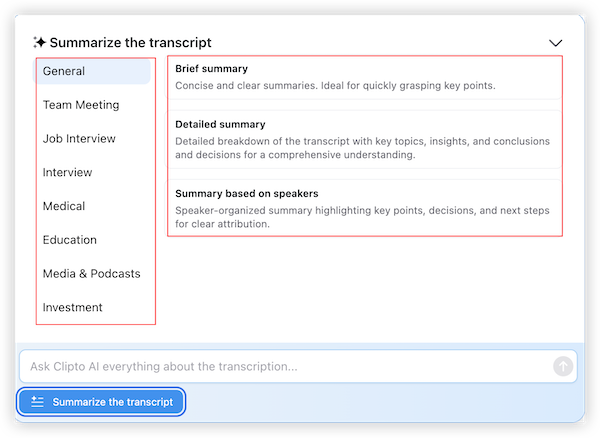
Clipto.AI includes AI chat, allowing users to ask questions and quickly find important information.
Step 5: Export the Video Transcript
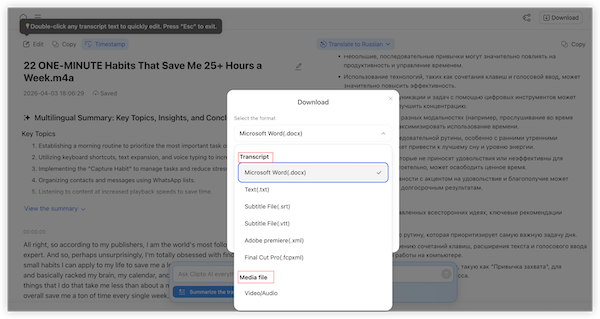
Finally, export the transcript in formats such as TXT, DOCX, PDF, or subtitle files like SRT for documentation, subtitles, or content creation.
Part3: Transcribe YouTube Video to Text
In addition to uploading local files, many transcription tools also allow users to transcribe YouTube videos directly from a link. This eliminates the need to download the video first and makes the process even faster.
With Clipto.AI, you can convert a YouTube video into text in just a few steps.
Step 1: Copy the YouTube Video Link
Open the YouTube video you want to transcribe and copy the video URL from the browser address bar.
Step 2: Paste the Link into the Tool
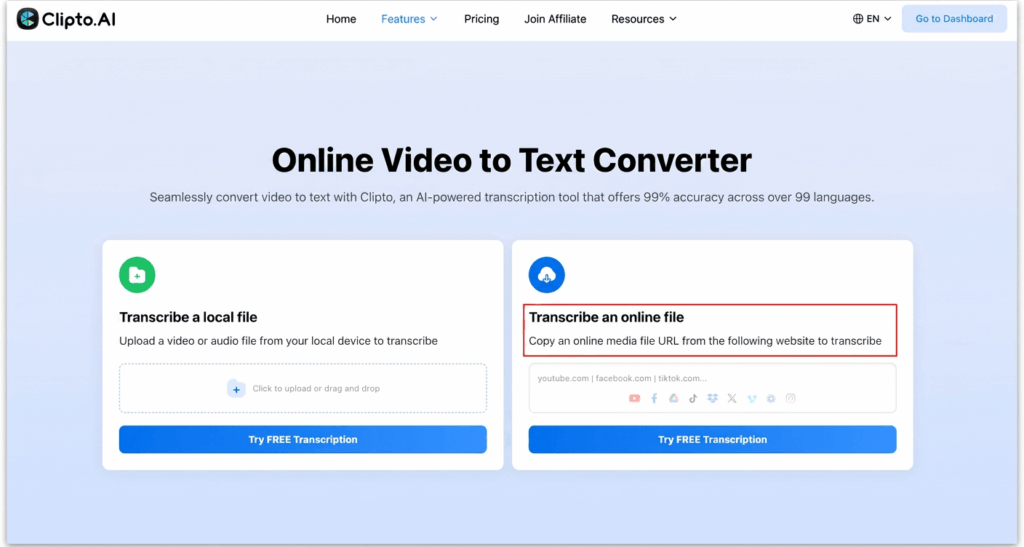
Go to the Clipto.AI transcription page and paste the YouTube link into the input field. The system will automatically detect and load the video.
Step 3: Generate the Transcript
Click the transcription button to start the AI process. The platform analyzes the audio track and converts speech into text within minutes.
Step 4: Review and Enhance the Transcript
Once the transcript is ready, you can review it and use features such as timestamps, speaker identification, translation, AI summaries or AI chat to better understand the content.
Step 5: Export the YouTube Transcript
Finally, download the transcript in formats such as TXT, SRT, or VTT, which can be used for subtitles, research, documentation, or content repurposing.
Part 4: Best AI Video Transcription tool in 2026
In 2026, AI technology is advanced, providing tools to convert video to text quickly, free and accurately. These platforms are compatible with YouTube videos, uploaded files and recorded meetings. Here is a list of the best AI video transcription tools of 2026, pros and cons according to needs.
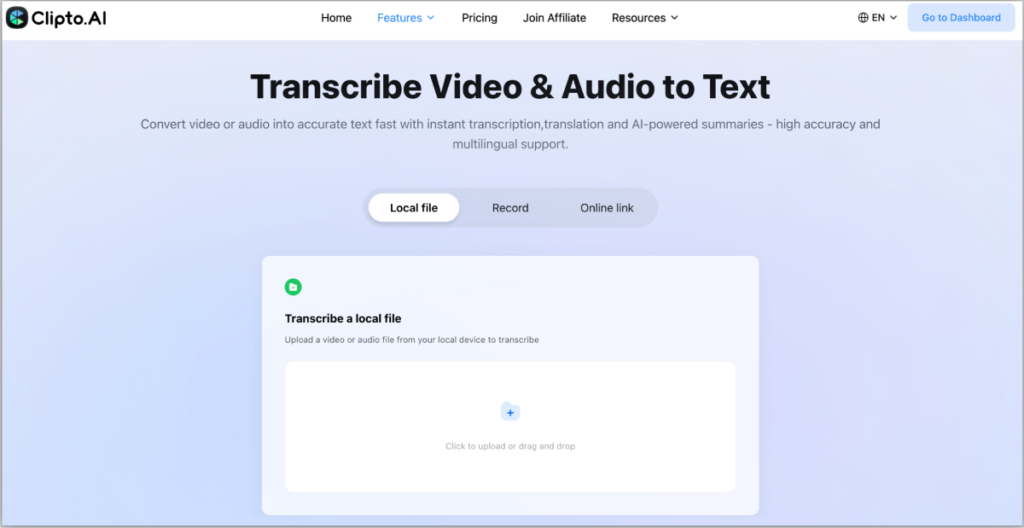
Clipto. AI
Overview:
Clipto.AI is an AI-enabled transcription tool platform to convert audio and video to text with multilingual support as well as speaker identification. It supports video upload and URL import (including YouTube) and exports transcripts in several formats such as TXT, SRT and VTT. It can also carry heavy files in a short time, and hence can be used by both the creator and professionals.
Pros:
- High transcription accuracy – AI transcription can reach 99%+ accuracy in clear audio conditions, reducing the need for manual corrections.
- Supports 99+ languages – Useful for multilingual teams and global content distribution.
- Speaker identification – Automatically separates speakers, which is helpful for interviews, meetings, and webinars.
- Built-in recording with live captions – Users can record audio or video directly in the platform and generate real-time subtitles, making it useful for live discussions or content capture.
- Multiple export options – Transcripts can be exported as TXT, SRT, VTT, and other formats, making it easy to create subtitles or documentation.
Cons:
- May require a credit card to access the free trial.
- Accuracy can be decreased with noisy or low-quality audio.
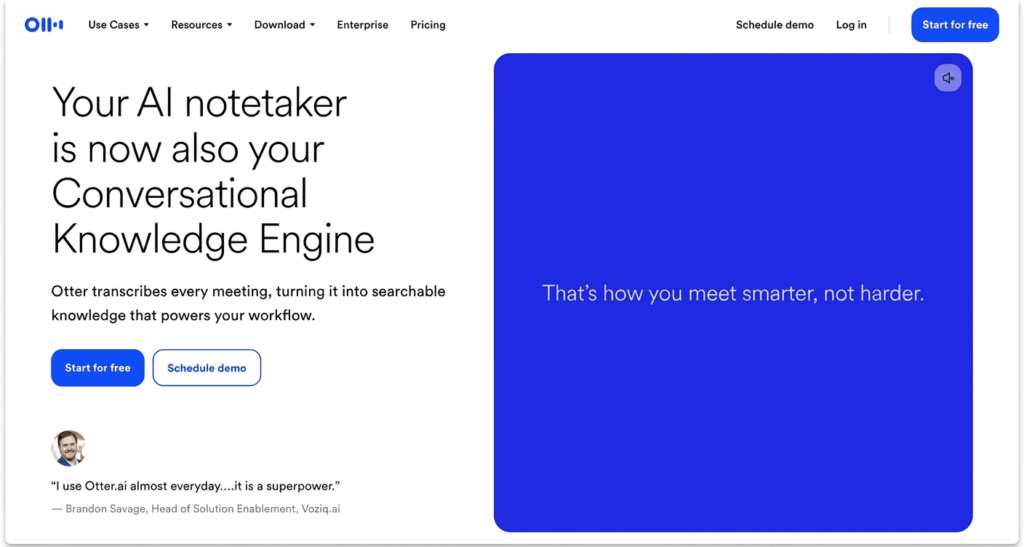
Otter.ai
Overview:
Otter.ai is a well-loved transcription tool that is geared towards meetings, interviews, and conversational video content. It has a feature for real-time transcription, automatic speaker labeling, and collaboration with integrations to platforms such as Zoom and Google Meet.
Pros:
- Real time transcription with speaker recognition.
- The free tier includes some basic minutes on a monthly basis.
- Good collaboration as a team and option for export.
Cons:
- The free tier limit is low as compared to other services.
- Accuracy decreases when overlapping audio is used or poor quality sound is used.
- Not really interested in full-length video transcription but instead focuses on meetings.
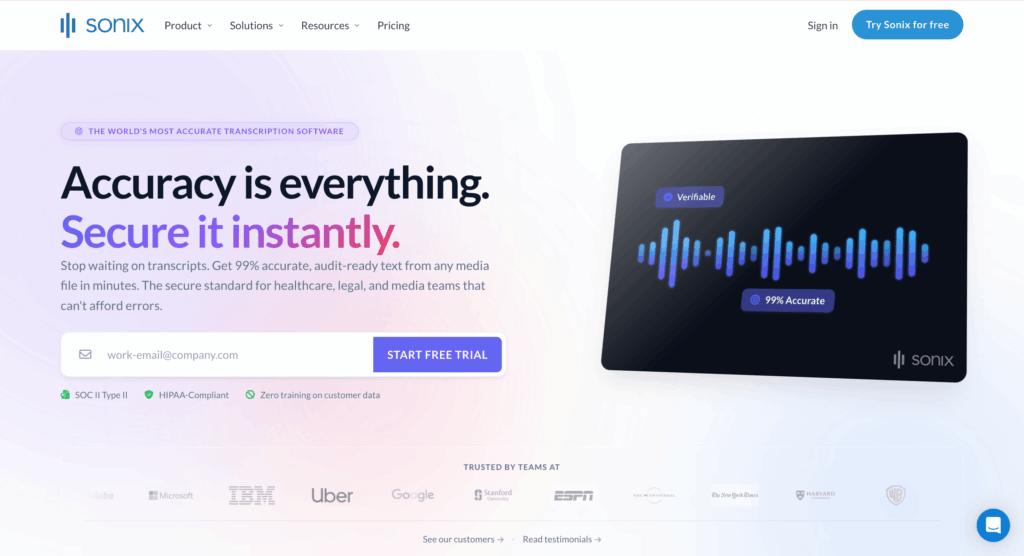
Sonix
Overview:
Sonix is a top-tier transcription service that is known for its high accuracy and language support. It provides auto transcription with labels of the speakers, the timestamps and the export options across documents and subtitle forms.
Pros:
- High transcription accuracy 40+ language support
- Built in editor and search capabilities.
- Suitable for multilingual and long form video content.
Cons:
- Pay – as – you – go pricing can be costly to the heavy user.
- No real free tier to full functionality.
- Accuracy is still dependent on the quality of the audio.
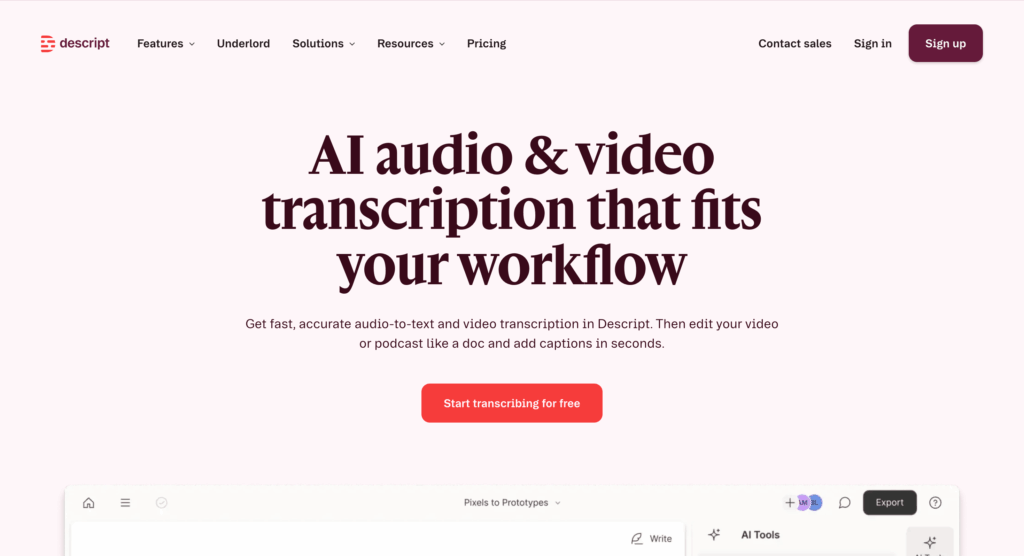
Descript
Overview:
Descript is a transcription tool combined with a video and audio editor. Users can edit media by editing text, export transcripts and create subtitles, making it ideal for creators and producers.
Pros:
- Edit video content by editing the transcript.
- High accuracy (~95% on clear audio).
- Supports other export formats.
Cons:
- There can be a high subscription cost.
- Overkill if only for transcription?
- Learning curve for new users.
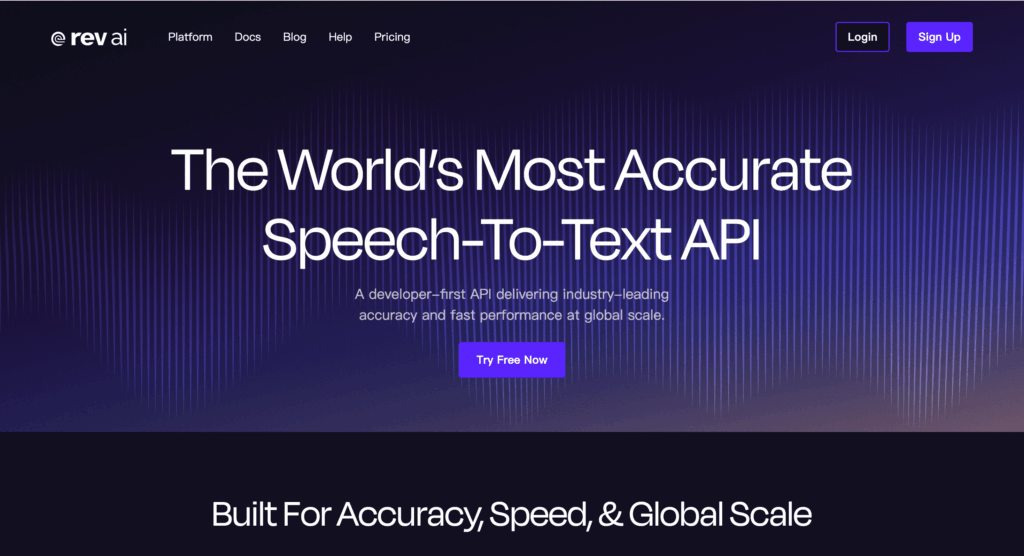
Rev
Overview:
Rev has both AI and human-assisted transcription services. AI options are fast in speed and human editors give the best accuracy on complex audio.
Pros:
- Choice of fast AI or 100% accurate transcription by humans.
- Good for the law, medicine, or detailed content.
- Strong security protocols.
Cons:
- No freeway and unlimited use.
- Human transcription is expensive and time consuming.
- AI only accuracy is not as high as premium tools.
| Tool | Key Features | Pros | Cons | Supported Formats | Free/Paid |
| Clipto.AI | Multilingual AI transcription, speaker separation, supports YouTube links and large file uploads | 99+ languages, fast processing, multiple export options | Free trial may require a credit card, and noisy audio may reduce accuracy | TXT, SRT, VTT, PDF | Free trial + Paid |
| Otter.ai | Real-time transcription, automatic speaker labeling, Zoom/Google Meet integration | Speaker recognition, free tier available, team collaboration | Free tier limits, overlapping audio reduces accuracy, best for meetings | TXT, DOCX, SRT | Free + Paid |
| Sonix | Automated transcription with timestamps, speaker labeling, multilingual support | 40+ languages, built-in editor, suitable for long videos | Expensive pay-as-you-go, no full free tier, accuracy depends on audio quality | TXT, DOCX, SRT, VTT | Paid |
| Descript | Transcription integrated with video/audio editing, edit media via text | ~95% accuracy, export in multiple formats, text-based video editing | High subscription cost, overkill for simple transcription, learning curve | TXT, DOCX, SRT, VTT | Free trial + Paid |
| Rev | AI & human transcription, high accuracy for complex audio | Choice of AI or human, strong for legal/medical content, secure | Human transcription expensive & slow, AI-only less accurate, no unlimited free tier | TXT, DOCX, SRT | Paid |
These top AI transcription tools make it easy to transcribe video to text online for creators, educators, and professionals. Free solutions like Clipto.AI and NoteLM are ideal for quick YouTube transcription, while premium tools such as Sonix and Rev offer high accuracy, speaker recognition, and support for multilingual and long-form content. Choosing the right tool depends on your needs for speed, accuracy, supported formats, and budget.
Part 5: The Guide to Selecting the best AI Video Transcription
Check Accuracy Thresholds
Test the possibility of every platform to accurately transcribe video to text AI. Multi-speaker recordings or noisy settings are a special concern to accuracy, and most reliable tools provide 90%-99% accuracy.
Multi-language and Speaker Recognition
When working in global teams or multilingual contents, use tools that identify various languages and distinguish speakers. This makes the transcripts regionally workable and collaborative.
Supported Export Formats
Make sure that the tool will give out results in TXT, DOCX, SRT, VTT, or PDF. There are also several possibilities to export blogs, subtitles, and research and make it reusable.
Price and Free Plan Limits
Take into account free tier and subscriptions. Certain tools have a free, basic use, but on the other hand, premium features or an enormous amount of transcription can be paid.
Security and Privacy Issues
On sensitive materials, choose those platforms that follow privacy policies and those that encrypt uploads. AI tools that are GDPR-compliant (local-processing) contribute to data protection.
Part 6: Accuracy & Efficiency Tips For Transcribing Video to Text
Record Clear Audio and Video
Quality recordings reduce mistakes and accelerate the process of transcription. Good microphones and soundproofed environments.
Minimize Background Noise
Minimize echoes, music and ambient sounds to enhance AI performance.
Review AI Draft on Key Terms and Context
Always write proofread to make sure that the writing is professional, and that it is written on technical terms, names, and context.
Action Items and Leverage Summaries
Most AI tools are able to create summaries, draw attention to important points, and extract action items, which save their time and systematize content effectively.
Conclusion
Voice recognition that transcribes video to text simplifies work processes, increases productivity, and enhances accessibility. Regardless of whether you are transcribing YouTube clips, meeting tapes or uploaded interviews, these applications save time and produce precise and editable transcripts. Functionalities such as speaker recognition, support of multiple languages, and the ability to flexibly export content make the content reusable and searchable.
Begin optimising your workflow now – use free AI transcription software, such as Clipto.AI and see how simple it is to turn video into text.
FAQ
1. Can I transcribe video to text free online?
Yes, you can transcribe video to text free online using AI transcription tools. Many platforms offer free trials or limited free usage, allowing you to convert video or audio into text without installing software. Tools like Clipto.AI allow users to upload files or paste links to generate transcripts quickly.
2. How does AI transcribe video to text?
AI transcribes video to text tools using automatic speech recognition (ASR) to analyze audio and convert spoken words into written text. Advanced platforms also add features like timestamps, speaker identification, and AI summaries to make the transcript more useful.
3. Can I transcribe a YouTube video to text for free?
Yes, many tools support YouTube video to text converter online free workflows. You simply copy the YouTube link, paste it into the tool, and generate a transcript without downloading the video. Some platforms may require sign-up for full access.
4. How to transcribe video to text with a link?
To transcribe video to text with link, follow these steps:
- Copy the video URL (YouTube or other platforms)
- Paste it into the transcription tool
- Start the AI transcription
- Download the generated text or subtitles
This method is faster than uploading files manually.