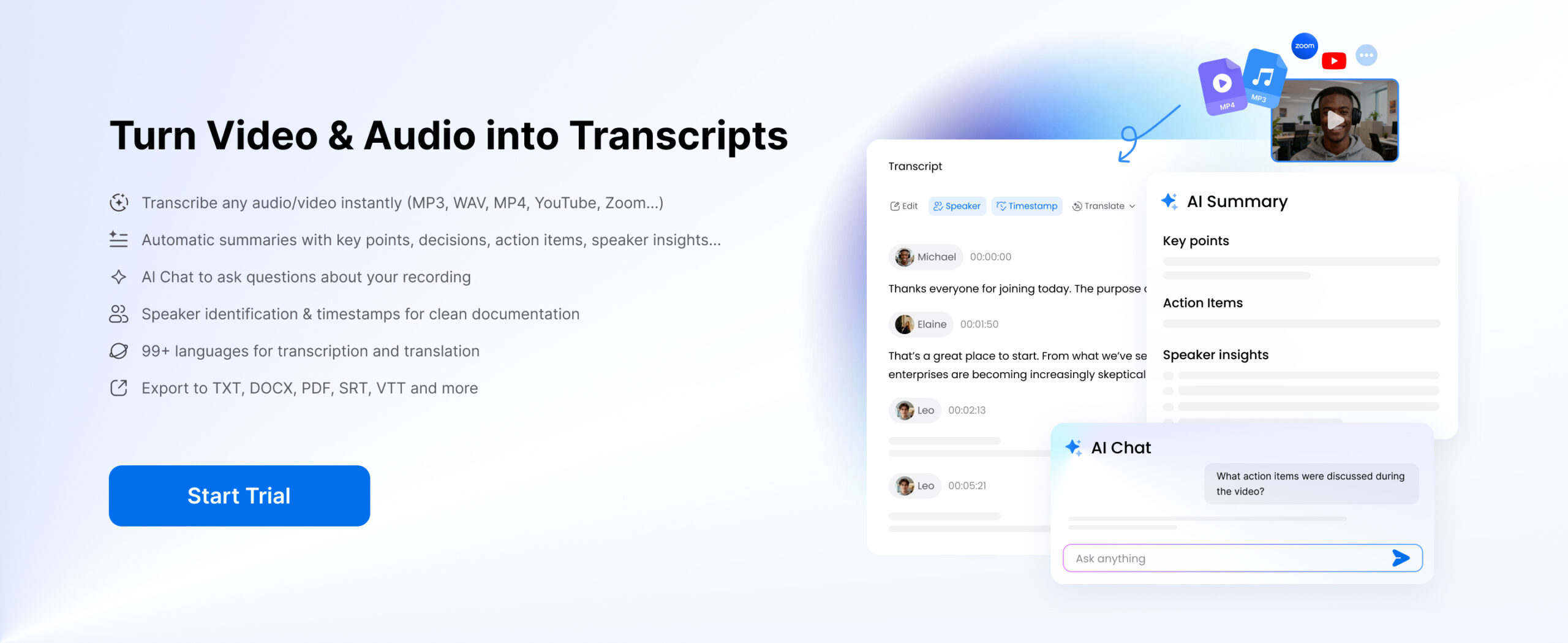
There are numerous individuals who desire to transcribe video free in a short period of time and with high accuracy without having to take hours typing. It used to be very slow, exhausting, and inaccurate to convert video to text or rely on basic video transcription methods, be it a meeting, a YouTube video, or a lecture, or an interview. You needed to stop, rewind and manually type out all these and this would take several hours even on a small video. This process made the reuse of video material inefficient and the extraction of important information difficult to students, content creators, marketers, and professionals who need this information.
Nowadays, it is a different situation. Modern ai video transcription algorithms allow you to transcribe video to text free online in a few minutes with high precision. The tools do not only assist you to transcribe video free youtube or local files, but also act as a transcript generator from video, making the transcripts easier to edit, search, and reuse. You will find out the quickest and most efficient methods of video to text transcription free, the most suitable AI tools on the market, and how to transform the simple transcripts into valuable information such as summaries, notes, or articles in this guide.
Part 1: What Does It Mean to Transcribe Video Free?
Free transcription of video refers to the process of converting audio materials contained in a video to written forms without paying any registration fee. You do not need to type all the information you listen to manually – AI tools can automatically transcribe video to text free in a few minutes.
This process can include:
- video file → text (convert video to text)
- video link → transcript (transcribe video link to text)
- YouTube, Vimeo, TikTok, Zoom video recordings or other streaming sites → captions, notes, or complete transcripts (transcribe video free youtube)
Generally, this is a wider term that may be referred to as video transcription, video to text transcription free or ai video transcription, depending on the tool and technique applied.
Part 2: Common Use Cases of Transcribe Video to Text for Free
There are numerous situations where people rely on transcribing video to text free tools, especially when the goal is to save time and reuse content effectively.
- Meetings → write clear notes, summaries, and action items using video transcription tools
- YouTube videos → transcribe video free youtube and turn content into blog posts or articles
- Interviews → generate accurate transcripts using a transcript generator from video
- Online courses → convert video to text and build structured study materials
All these applications share one core purpose: to convert video to text so content becomes searchable, editable, and reusable. Users can scan text, identify key insights, and extract information quickly instead of rewatching long videos.With the rapid growth of video content, video to text transcription free is no longer a luxury – it is a practical tool for improving efficiency and making information more accessible.
Turn Transcripts into Content
One of the most powerful ways to use a transcript is content repurposing.
You can take a transcript and quickly turn it into:
- blog posts
- SEO articles
- newsletters
- social media content
You are not producing new material, but are reworking old material into various formats. This enables you to play the same video on various platforms without having to record it again or make any effort. For example, when you transcribe video free YouTube content or use a transcript generator from video, one video can become several reusable content assets.
This is a significant productivity gain for creators, marketers and educators. One video can create several pieces of content, thereby reaching a larger audience with a greater efficiency.
Extract Key Information
Transcripts also make it much easier to find and understand important information.
Instead of watching a long video multiple times, you can:
- identify key ideas quickly
- highlight important sections
- summarize discussions
This is particularly helpful for meetings, interviews and research. For instance if you have a one hour meeting you can read the transcript in a matter of minutes and only read the most relevant parts of the meeting.
This ability to quickly process the information is one of the major benefits of modern video to text transcription free tools.
Build a Repeatable Workflow
The most effective users don’t treat transcription as a one-time task—they build a system around it.
A simple and powerful workflow looks like this:
video → transcript → summary → publish
By following this process, you convert video to text into a scalable content and knowledge workflow. Over time, this approach saves effort, improves consistency, and helps you get more value from every piece of video content.
Part 3: Why AI Is the Best Way to Transcribe Video Free
There are several ways to transcribe video to text free, but not all methods deliver the same results. The main difference comes down to speed, accuracy, and how much effort you need to put in.
| Method | Time | Accuracy | Effort |
| Manual typing | Very slow | Medium | High |
| Basic captions | Fast | Low | Low |
| AI video transcription | Minutes | High | Low |
Manual transcription takes a long time and is mentally draining as it involves pausing and rewinding the video all the time. Basic Captions are quicker, but may not be accurate, well-formatted, or structured. This is where a video transcription clearly stands out.
Speed and efficiency:
AI systems can analyze hours of video in just minutes. Previously an entire afternoon could take up to a few hours, but now it can almost be done in one instant, which makes video to text conversion a much easier process at scale.
Accuracy and structure:
AI systems of today can identify speech patterns, punctuation, and even multiple speakers. This enables users to convert video to text online without cost and get accurate and well-organized transcription that is easy to read.
Flexibility and language support:
There are several tools that can be used for global content, and they can process multiple languages and accents. From the meeting room to the lecture hall, from online video to video call, AI adapts right to the job, with little setup.
Beyond basic transcription:
AI tools, unlike traditional tools, can do more than just organizing and summarizing, they can also help users understand content faster and highlight key points.
AI doesn’t simply generate text; it revolutionizes the video transcription workflow, making it faster, smarter, and scalable.
Part 4: How to Transcribe Video Free Online (Step-by-Step)
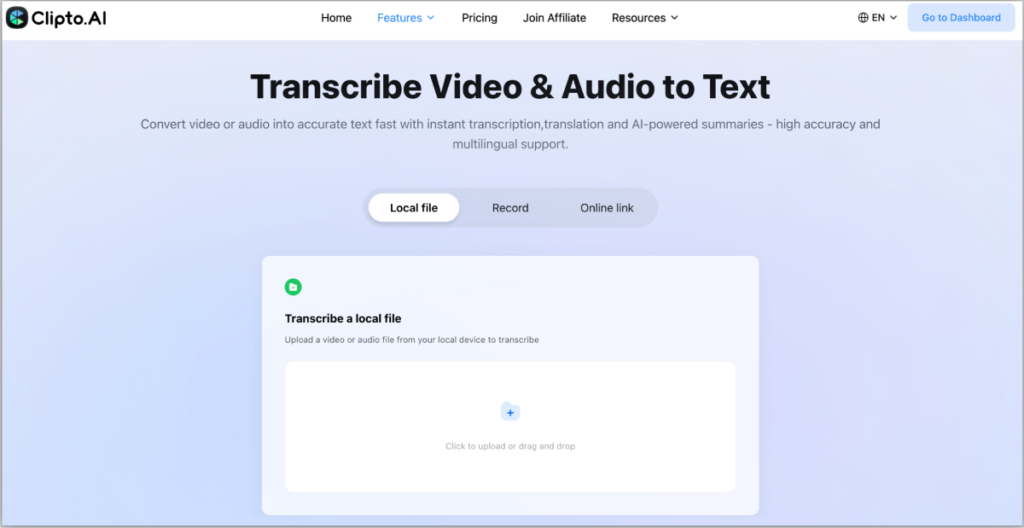
Here is the easiest and most practical way to transcribe video free using modern AI tools. Using Clipto.AI as an example, this process works for most platforms and requires no technical skills.
Step 1: Upload Video or Paste Link
Start by adding your content. You can:
- upload a local video file
- or transcribe video link to text by pasting a URL (such as YouTube or other platforms)
Most tools support multiple formats, making it easy to get started quickly.
Step 2: Generate Video Transcript
Once everything is set, the AI will process your video and convert video into text within minutes.
Compared to manual methods, this step is fully automated and requires no extra effort.
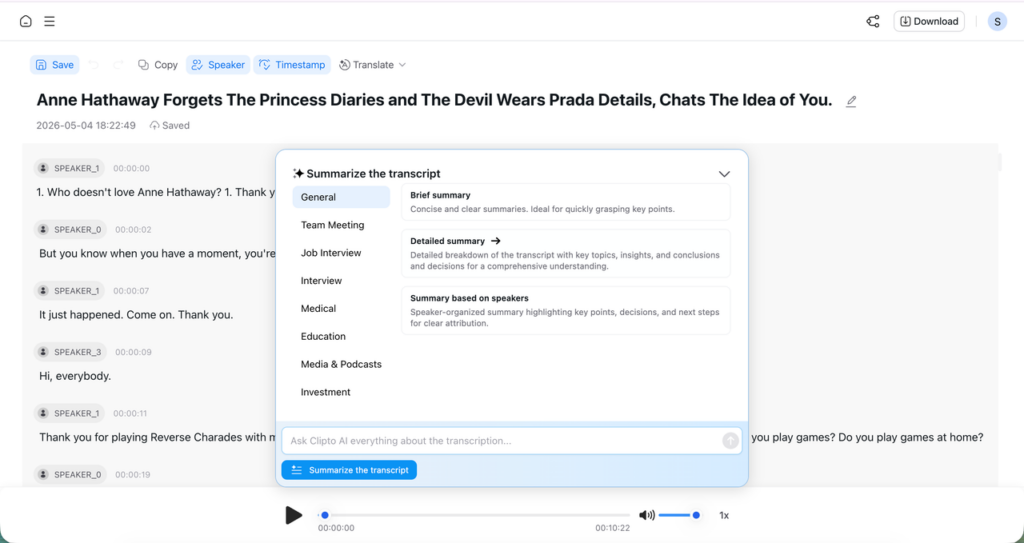
You can get video transcripts with speaker indentification and timestamps. Moreover, if you need translate the transcript to other languages, the tool also can help you.
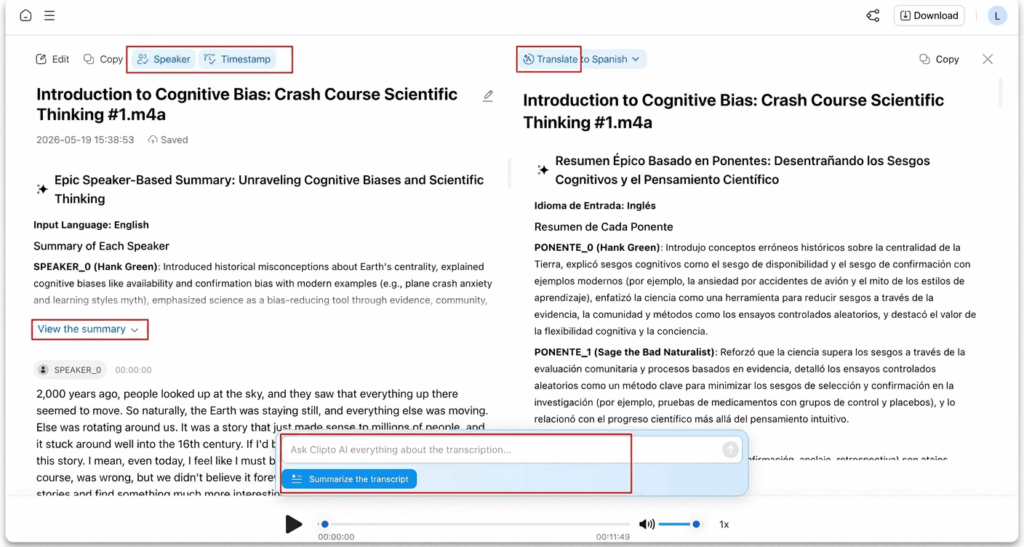
Additionally, if you need a quick video summary to capture the main points, our AI Summary and AI Chat features can help you get answers to specific questions without having to watch the video repeatedly.
Step 3: Edit and Export the Video Transcript
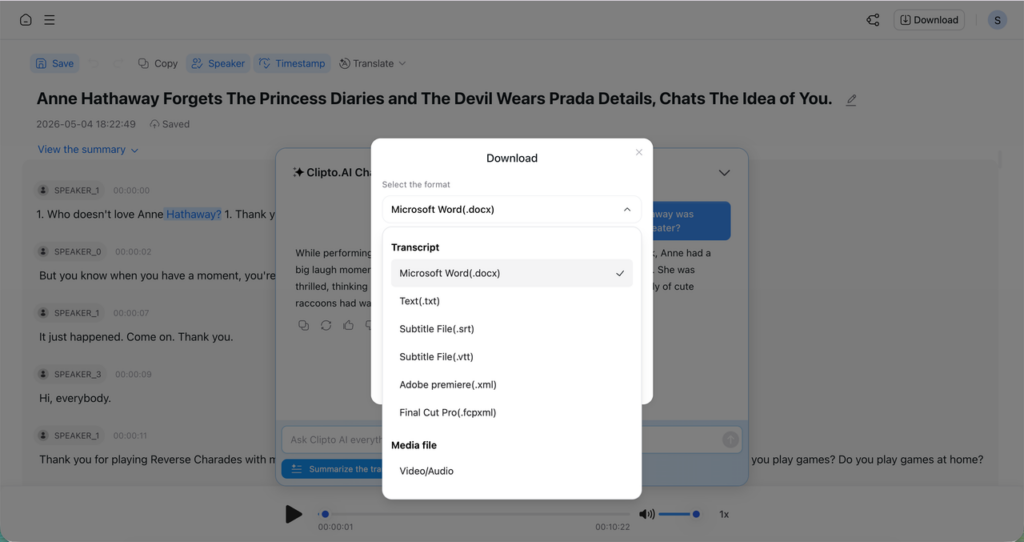
After the transcript is ready, you can review and export it in different formats:
- TXT
- DOC
- SRT
This turns your result into a usable output from a transcript generator from video, ready for editing, sharing, or publishing.
Tip: Clear audio and minimal background noise will significantly improve transcription accuracy.
Part 5: What Influences Transcription Accuracy?
Even the finest ai video transcription products are very reliant on the quality of input. Even though present-day video transcription systems are rather advanced, the accuracy of your results depends heavily on the audio reality.
Key Factors
There are a number of factors that directly influence the quality of video to text transcription free results and your ability to transcribe video to text free online:
- Clarity of audio: The audio is clear and well recorded increasing accuracy. Misinterpreted or low volume words may arise when you convert video to text.
- Background noise: Speech recognition can be interfered with by background music, traffic, or ambient noise, affecting ai video transcription output.
- Number of speakers: Speaking with many people or interruptions makes it harder to transcribe video to text accurately.
- Language and accents: Accent, mixed languages, or unclear pronunciation may lower the accuracy of video transcription.
Any minor problems in the above can influence the quality of your transcribed video to text free results.
Optimization Tips
In order to work better when transcribing video to text free, you may follow a few simple steps:
- record in the best quality available
- cut out background noise prior to uploading
- prevent repetition of words in discussions
- select the appropriate language options in the ai video transcription tool
These modifications do not demand high skills, but they can significantly improve the quality of your transcript generator from video output.To conclude, AI tools are powerful; however, they work best with clean and structured input. With improved audio, your convert video to text process becomes more accurate and requires less manual editing.
Conclusion
Transcription of video without charges is now easier than ever before, especially with modern transcribe video free online tools. Yet it is the selection of the appropriate tool and workflow that delivers the true benefit. Videos can be transformed into structured content, insights and reusable assets – instead of ending up as raw text that wastes time and reduces productivity.
To achieve better results and a smoother experience, you can use tools like Clipto.AI. Begin with its free trial and explore how ai video transcription, video to text transcription free, and integrated summaries can make your videos usable in minutes and scalable as your needs grow.
FAQs
1. Is it possible to charge without registration?
Yes, there are tools that allow you to transcribe video to text free without sign-up, especially for quick or one-time use. However, free versions are usually limited in file length, export options, or processing priority. For longer videos or advanced video transcription features, creating an account is often required.
2. What video types can be transcribed?
Most tools support common formats like MP4, MOV, AVI, and sometimes MP3 for audio, only files. In addition, many platforms allow you to transcribe video links to text, including YouTube and other streaming sites, making transcribe video free youtube workflows simple and accessible.
3. How much time does it take to transcribe a video?
Most videos can be processed in minutes using modern ai video transcription tools. The exact time depends on file length and processing speed, but overall, AI is much faster than manual methods and efficient for video to text transcription free tasks.
4. Is it possible to edit the transcript after it is generated?
Yes, most tools allow you to edit the text after you transcribe video to text. You can correct errors, adjust formatting, and improve structure, making it easier to turn raw output into polished content using a transcript generator from video.
5. Is it possible to transcribe videos in other languages?
Yes, many tools support multiple languages and accents. This allows you to convert video to text across different regions, making ai video transcription useful for global content, multilingual teams, and international audiences.
6. Are there any restrictions on free video transcription?
Yes, most platforms place limits on file size or total minutes when offering video to text transcription free. Free plans are typically designed for testing or light use, while longer videos and advanced features require paid upgrades.