

Pinterest Video Downloader
Download all videos from Pinterest and convert them to MP4, MP3, WAV, etc. in HD, 4K or 8K quality. Save Pinterest videos to PC, Mac, Android or iPhone with Clipto Pinterest video downloader - no ads, no watermarks.
More Tools

YouTube Downloader
The Best Free YouTube Video Downloader! Paste a YouTube URL to start downloading now—fast, no ads, and unlimited.

Video to Text Converter
A video-to-text transcription tool automatically converts video or audio content into accurate text.

TikTok Video Downloader
Download TikTok videos without watermark. Fast, free, no sign up needed.

Twitter Video Downloader
Easily download Twitter videos in high quality with our free Twitter video downloader.

Facebook Video Downloader
Save Facebook videos in high quality for free with our easy-to-use Facebook downloader.

Instagram Video Downloader
Easily download Instagram videos in high quality with our free Instagram video downloader.
How to Download a Video from Pinterest
1. Copy the Pinterest Video Link
Open Pinterest and find the video you want to download. Tap the Share button and select "Copy Link" to copy the video URL.
2. Paste the Pinterest Video Link
Go to Clipto Pinterest Video Downloader and paste the copied Pinterest video URL into the input box. Our tool will automatically fetch the video.
3. Choose Format and Quality
Select MP4 for the full video or MP3 to download just the audio. Clipto makes it easy to convert Pinterest videos to MP4, MP3, AAC, WEBM, and 4K formats in seconds.
4. Download Pinterest Video Instantly
Click Download to save Pinterest video directly to your computer or mobile, like iPhone, Android, PC, or Mac. Fast, free, and no watermark.

How to Convert Pinterest Video to MP3 or MP4 with 4K HD
Use Clipto Pinterest Video Downloader to quickly save Pinterest videos to MP4 or MP3 in high quality.
This tool also lets you to convert Pinterest videos into various popular formats such as WAV, WEBM, 3GP, OGG, M4A, FLAC, MOV and AVI, while supporting video resolutions like 720P, 1080P, 4K, and 8K HD.
Once the video is converted, you can easily save the video to your device, whether it's a PC, Mac, iPhone, or Android - all for free, fast, and without watermarks.
With Clipto, downloading and converting Pinterest videos (or any other videos online) has never been easier - all in just a few seconds.
More Than Pinterest Video Downloader - Transcript Video to Text
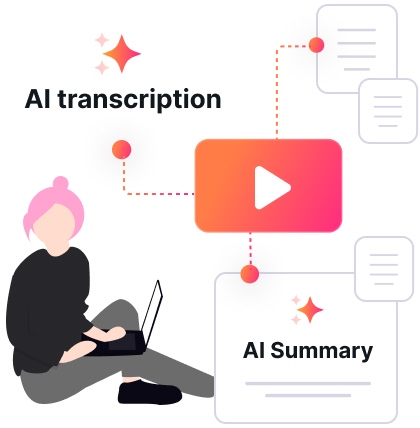
Clipto is your all-in-one AI content powerhouse. Beyond lightning-fast downloads, it turns Pinterest videos and audio to text accurate, delivers instant summaries, and keeps your media organized effortlessly.
Designed for creators, marketers, podcasters, and professionals, Clipto gives you more than basic tools - it helps you capture every word, repurpose content faster, and maximize value from every recording.
Move faster. Do more. Get the most out of every piece of content with Clipto.
Available on Windows and Mac
Prefer working on desktop?
Clipto is available for both Windows and Mac, giving you a faster and more convenient way to download and manage media content on your computer.